Note: This post contains affiliate links. If you make a purchase through these links, I may earn a small commission at no extra cost to you. For more information, visit Terms & Conditions. Thank you!
Carrd is a website builder that brands itself as “simple, free, fully responsive one-page sites for pretty much anything.”
Great marketing angle there! As someone who isn’t a web designer, that’s exactly what I wanted to hear. It doesn’t get any more black and white than Carrd’s tagline.
I needed to build a simple website for a restaurant, so I was looking for a simple website builder. After researching, I decided to give Carrd a shot.
This article goes over the Carrd plans, my experience building a website with Carrd, and my final review and recommendations.
Carrd Pro Plans vs Free Plans
Like most SaaS platforms, Carrd has a free plan and tiered “pro” (paid) plans. The plans are pretty straightforward.
Free Plan
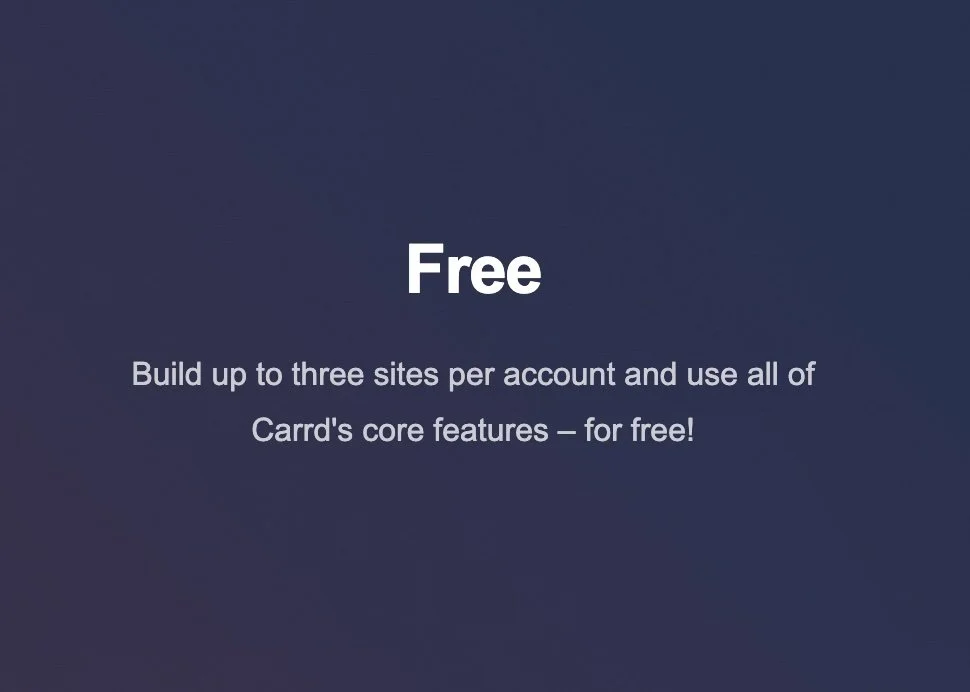
You can use Carrd for free, but it has limitations.
You can build up to three sites per account, but you can’t connect a custom domain.
I knew I needed a domain for my project, so that automatically put me in the market for a Pro account.
But, if you need a landing page done quickly and don’t need a custom domain, this is a perfect option!
You can also start with a free plan and upgrade if you need more features.
Carrd Pro Plans & Price
Carrd has three “Pro” plans: Lite, Standard, & Plus. All three are economical, priced at $9, $19, & $49 per YEAR, respectively. You really can’t beat those prices.
I selected the Standard plan because right now, the ability to publish up to 10 sites is all I need. And again, for $19/year, that felt worth it to me.
Building My First Carrd Website
Once I decided to go with Carrd, I needed to find a template (especially since I was a newbie) and figure out how I was going to bring the restaurant’s site to life.
How to Find Free Carrd Templates
I tried some of the templates on Carrd’s website and I just didn’t feel like any of them fit. Since I was new to the platform, I knew I needed a template made for restaurants.
In all honesty, I Googled “free Carrd template restaurant” and found a suitable option (this one if you’re interested!).
I also found a great site called Making That Website that features a few templates you can use without a pro plan. Shoutout to David Nge for creating these!
If you’re okay with paying, some people sell Carrd templates too—just Google what you’re looking for and you’ll find one.
How Long Did It Take to Build a Site?
Once I found a suitable template, it took me about 4 hours to build the website and connect the domain. Within a few hours, I had a fully functional website—not too shabby!
It took me about an hour of trial and error and Googling to figure out the interface. Here’s a snapshot of what you need to know:
Quick Carrd Tutorial
This plus sign at the top right is your best friend. It’s how you’ll add elements that you can drag and drop.
Carrd works in “containers,” essentially how you organize columns on your site. Many templates already have these made.
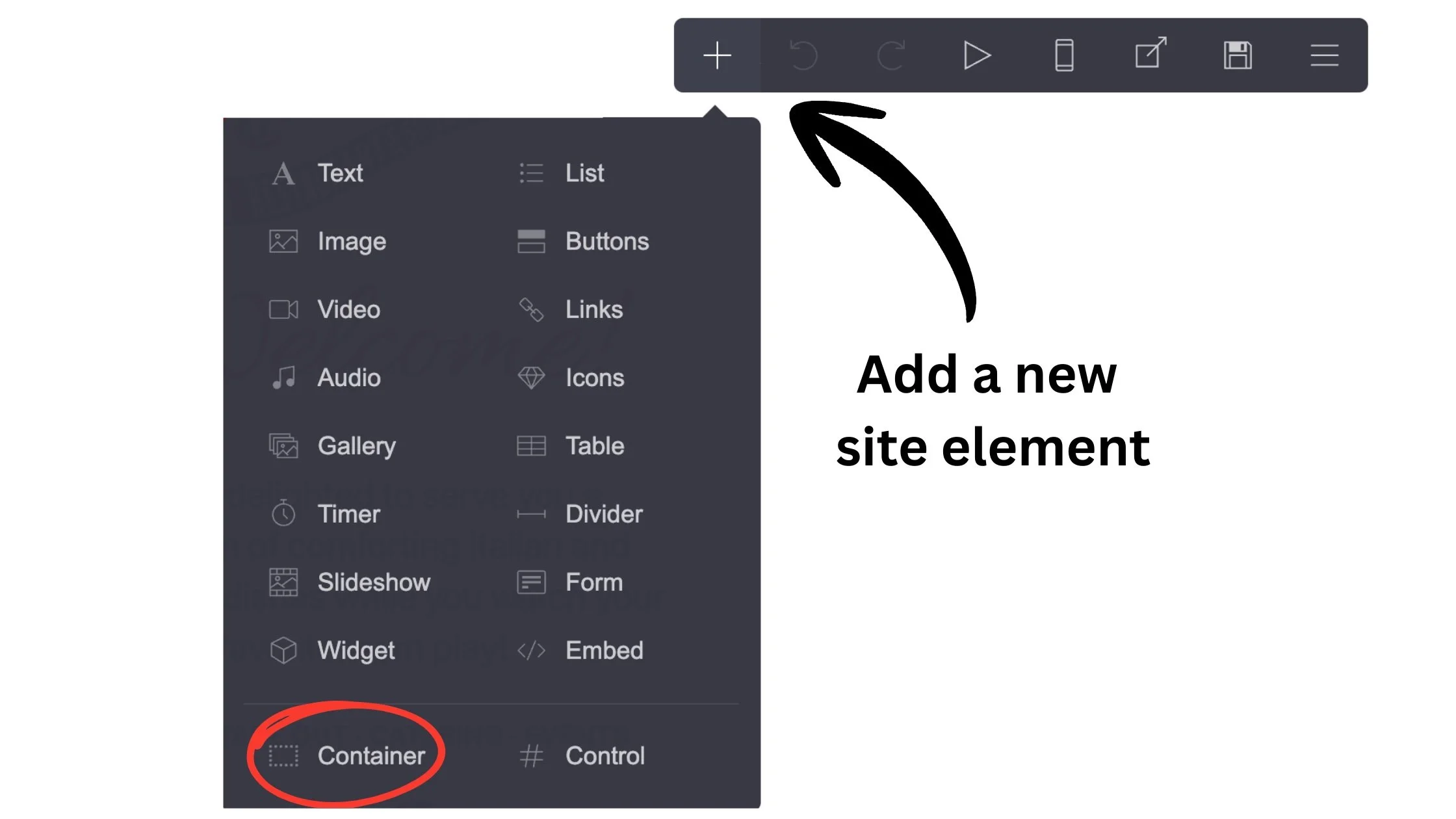
Click the plus sign to add an element. The “container” element is circled in red.
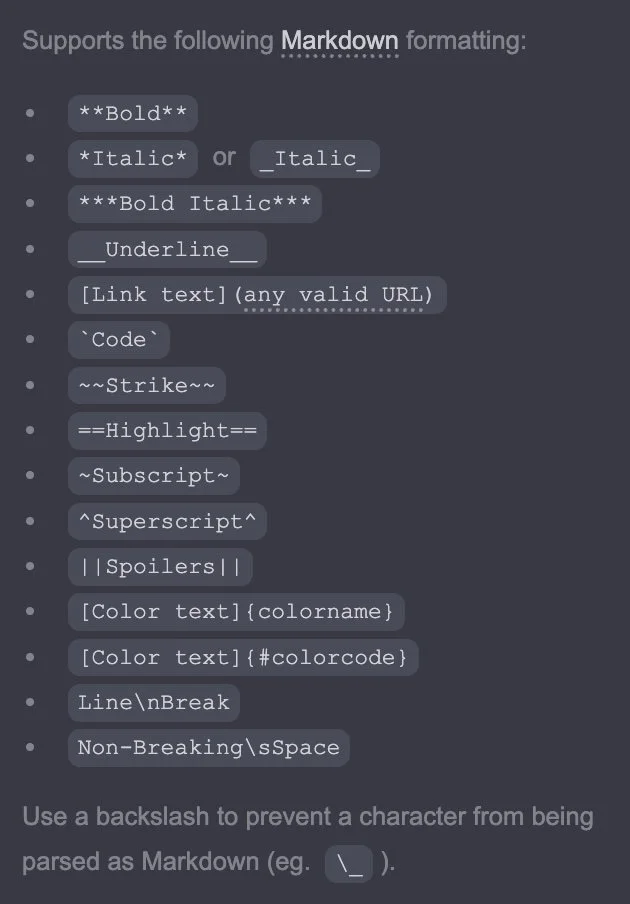
To format text, you need to use markdown formatting (seen below). It can take a bit to get used to, but it’s not prohibitive. Actually, I got quite fast at using markdown formatting, and it’s always shown on the left pane to remind you.
Carrd Review: Is It Worth It?
From my experience, Carrd is worth it for a simple, one-page website. I found it intuitive and plan to build other sites there that I will need in the future. I’ve been using the platform for over a year and will continue to do so!
Building the restaurant’s site was a positive experience, and the site runs WICKED fast. That’s probably my favorite feature—Carrd’s mobile optimization and loading speed are amazing.
Carrd is best for:
Anyone who needs a landing page for any reason
Restaurants, food trucks, other dining & beverage establishments that only need to display their menu
Portfolios
Online resumés or CVs
Personal websites
Student projects
Service providers
Anyone who wants a one-page site!
Carrd is not suitable for:
Bloggers who need the “bells and whistles”
E-commerce sites
People who need more than a basic website (for any reason)
Conclusion
If you’re looking to build a simple site that looks aesthetic and loads quickly at a competitive price, Carrd will suit your needs. If you need a more complicated site, it’s best to use a different platform.
And don’t just take it from me—lots of people are singing Carrd’s praises! Reading other people’s positive reviews further solidified my decision.
Happy website building!
In case we haven’t met…
👋 I’m Dom—an email marketing strategist who believes email can be simple & profitable for your business!
If you enjoyed this post or got something out of it, here are other ways we can connect:
📧 Subscribe to my newsletter. I send a short email every Tuesday to help you build an email marketing strategy you can feel good about.
👉 View my services. Are you my next client?!
📚 Read the rest of the blog. Here, you’ll find in-depth posts about email, marketing, business, and more!
🛠️ Check out the tools & resources I use in my business. I keep this page updated with the tools I use and recommend (some with full reviews!). If you’re looking for a solution for your business, it’s worth perusing!
☕️ Buy Me a Coffee. If you found this post helpful and feel like saying thanks, you can leave a little tip. Never expected, but always appreciated! ❤️